

Please note that the information provided here is for reference purposes only. Ensure you verify any related information directly from the official resource to avoid any misinformation or understandings: https://www.mct.gov.cn/
Essential Apps
WeChat & Alipay
WeChat Download: (AppStore | Google Play)

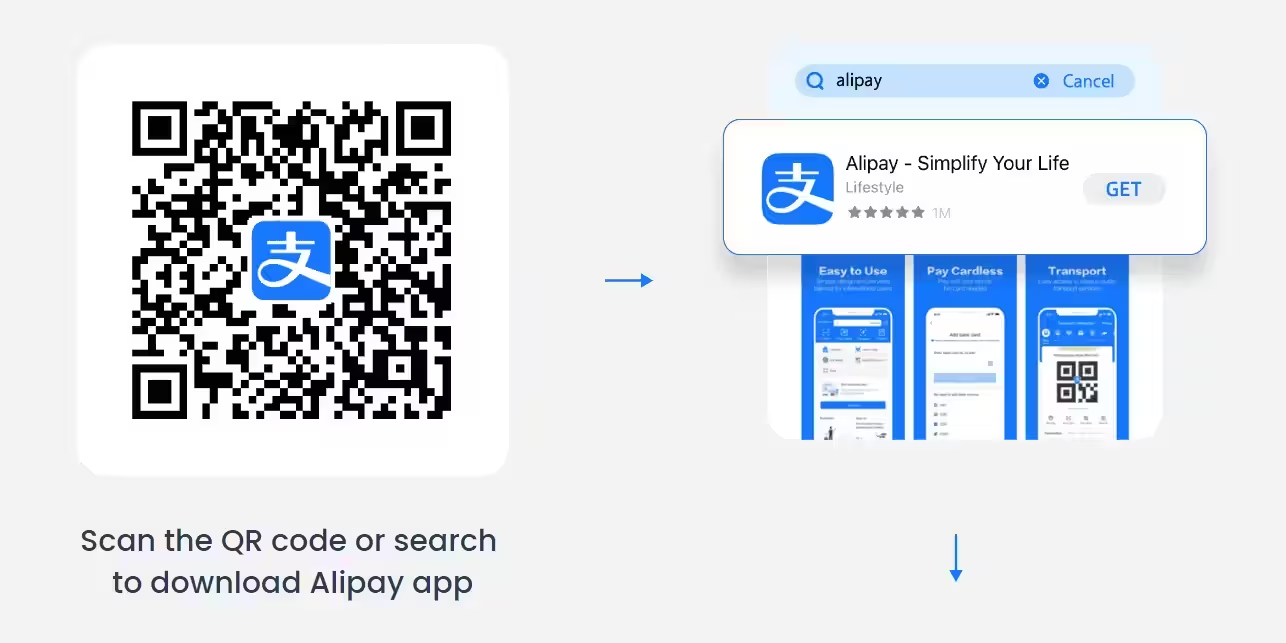
Alipay Download: (AppStore | Google Play)

For any non-Chinese travellers, WeChat and Alipay are absolutely essential apps to download before going to China. These “Super Apps” form the backbone of daily life in China, making them also critical for seamless travel and interaction across the country.
WeChat is more prevalent in China, especially in rural places, but we recommend having both installed for maximum flexibility and convenience. Expect each app to take up around 1GB on your phone.
You will be using these Super Apps for 2 crucial functions – Cashless Payments and Mini-Programs.
Digital & Cashless Payment in China
While technically possible to use cash, everywhere in China overwhelmingly operates on cashless payments through WeChat Pay and Alipay.
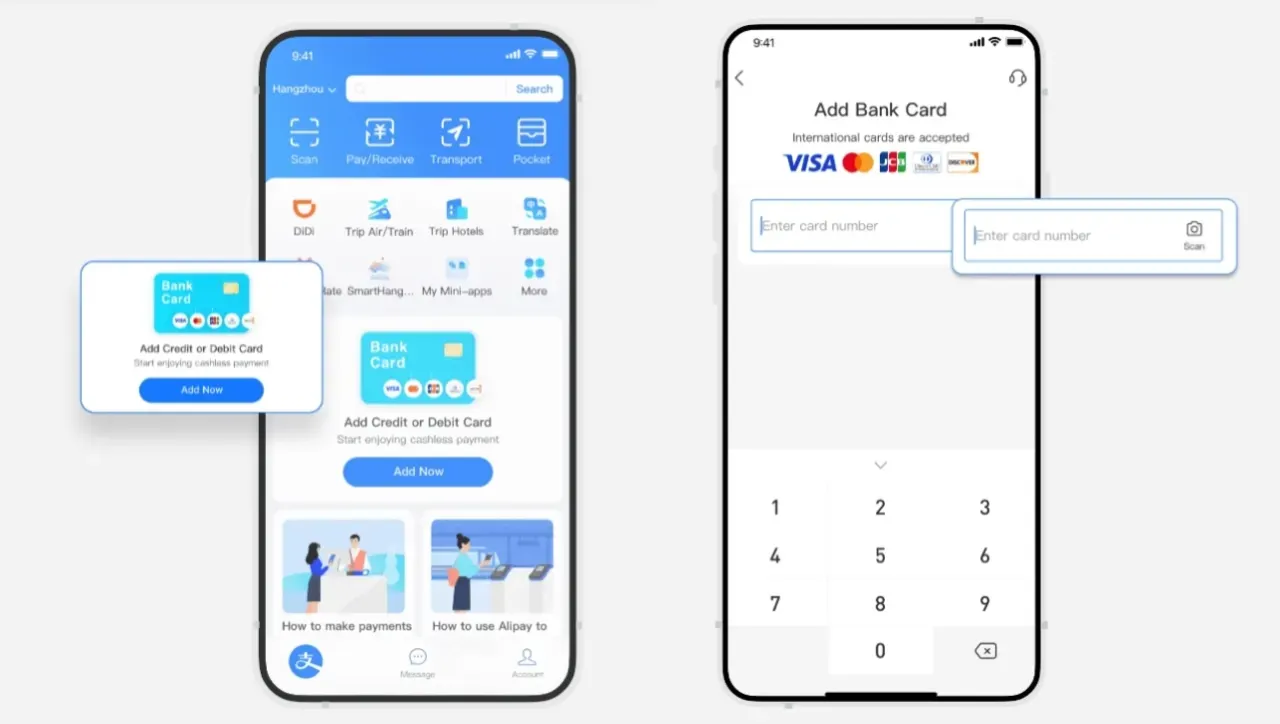
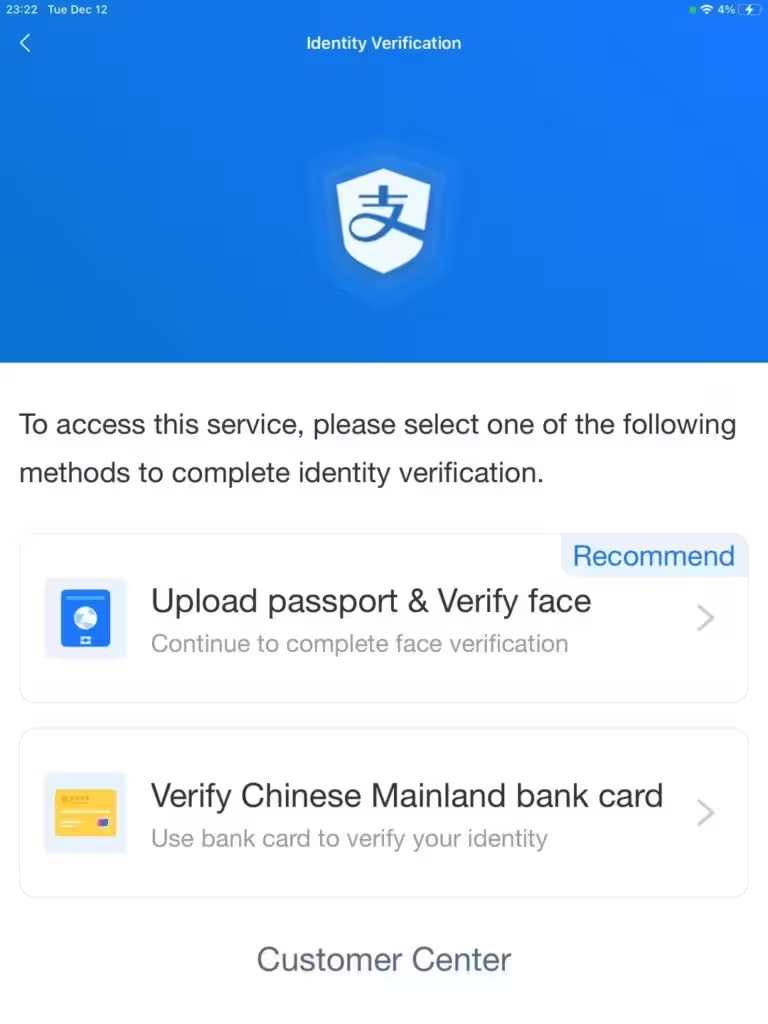
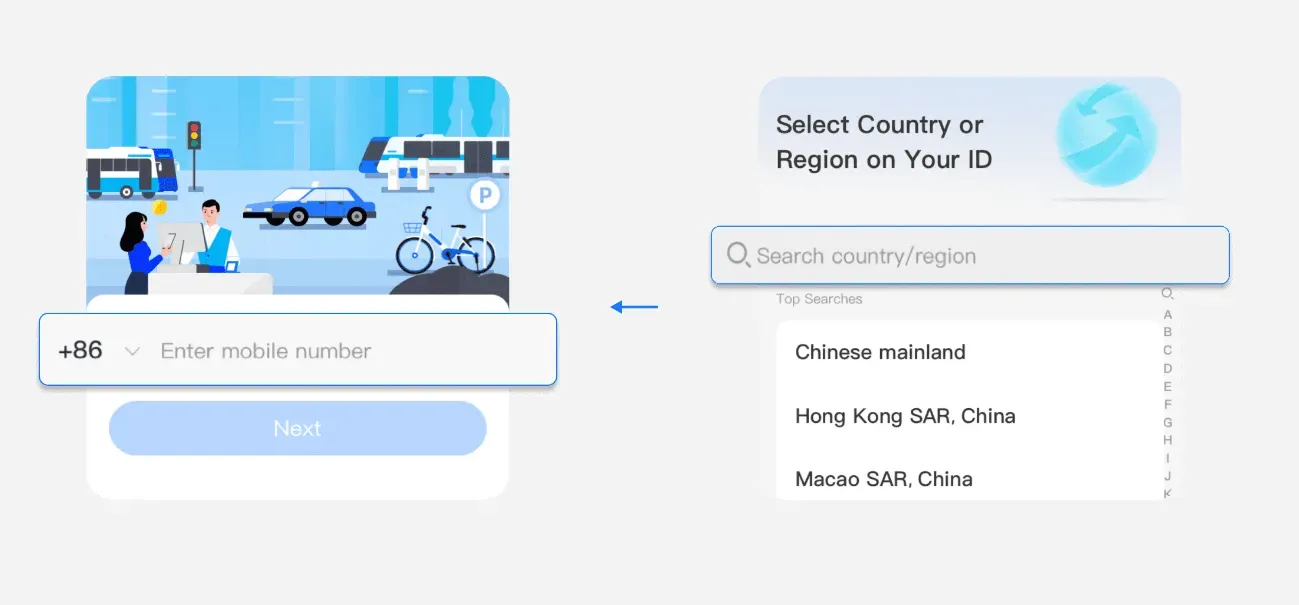
It is critical that you download the apps, register your account, authenticate with your passport and link your international credit card (Visa, Mastercard, etc.).
Authentication on the app may take a couple of days, so do this a few days before your trip to China.
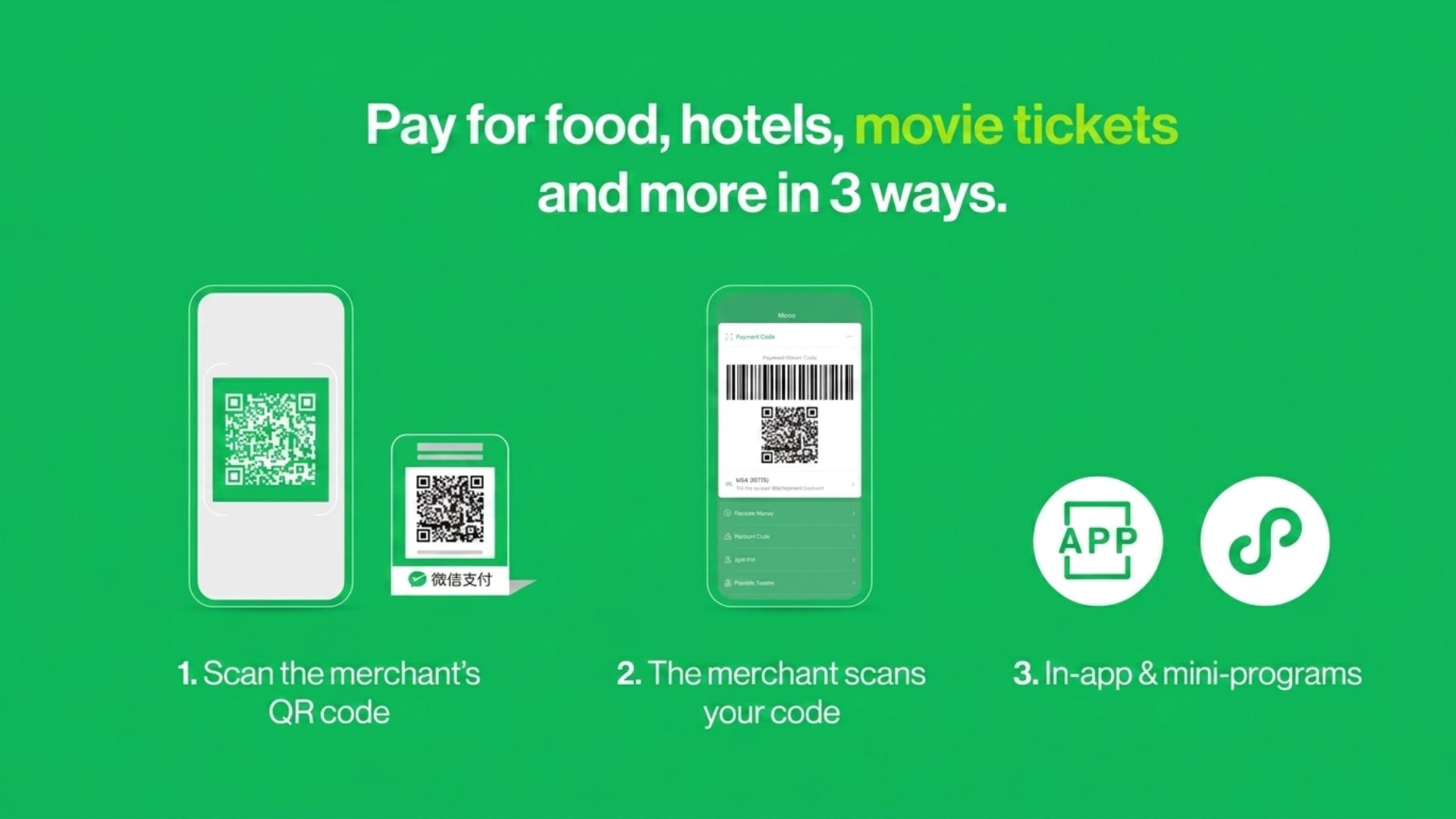
Payment Guide for WeChat
Payment Guide for Alipay
Mini Programs in WeChat and Alipay
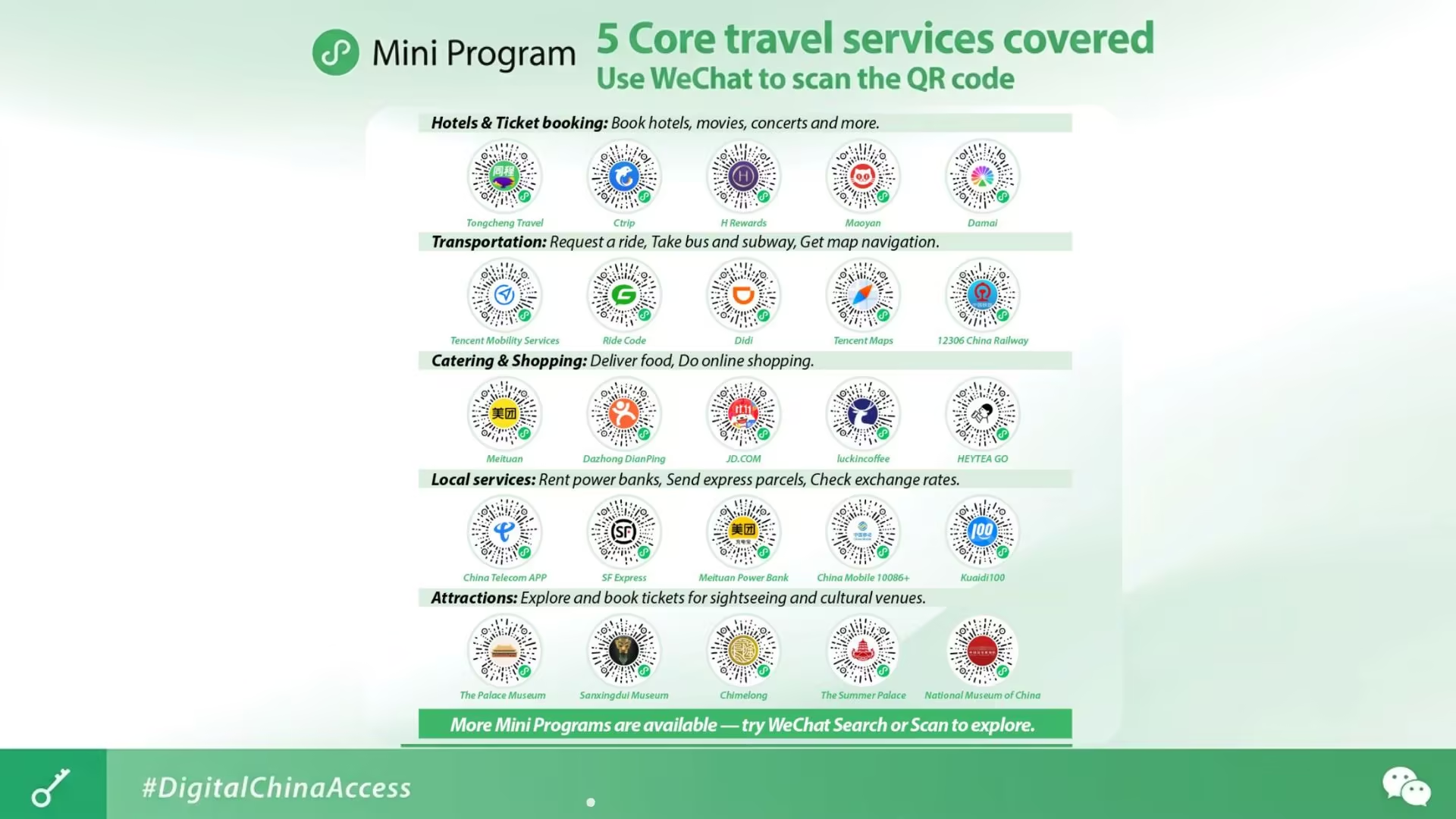
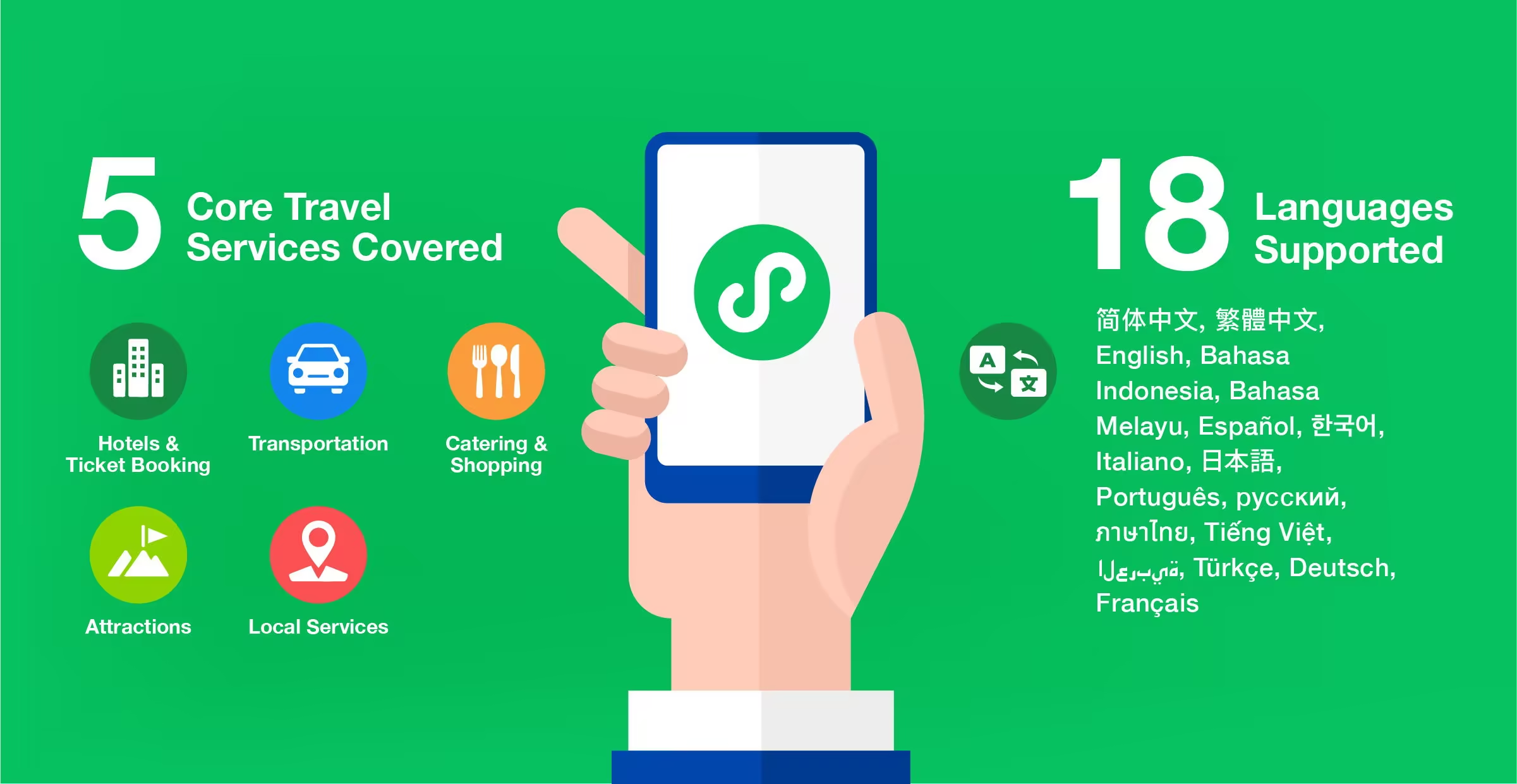
“Mini Programs” are lightweight applications that run seamlessly within the WeChat or Alipay ecosystem. Think of them as apps-within-an-app, making them indispensable for essential apps to have when travelling to China, including payments for public transportation like metro/subway and buses.
With Mini Programs, you eliminate the need to install individual apps cluttering your phone and take up valuable storage space. All transactions within these Mini Programs automatically connect to your linked WeChat Pay or Alipay account, ensuring a hassle-free checkout. F&B places use Mini Programs for their menu, order and payments.
Simply search for (or scan the QR codes you find at the shop) and open the mini-program directly from within WeChat or Alipay, no separate downloads or logins. In WeChat, Mini Programs can be found in “Discover” and saved (3 dots at the top right).
In Alipay, make sure your location is set at the right city (top left-hand corner) before you search. You can also add the Mini Programs as favourites for quick access.
China Map – Amap (Gaode Map)

Amap Download: (AppStore | Google Play)
Once your payments are sorted, let’s get to know how to get around China efficiently. Forget relying on Google Maps, it simply does not work well in China. Some people even suggest Apple Maps, but we couldn’t use it reliably to find attractions, restaurants and directions. Instead, we use local apps that truly understand China’s streets.
The best replacement for Google Maps is Amap (Gaode). Their recent update includes English support. While you can search in Amap using English, we find it best to copy and paste the Chinese names of places than using English names. Taking note of local addresses in Chinese helps make sure we select the correct place for pick-up and drop-off when using Didi.
While Amap has public transport options and navigation options, sometimes it is easier to navigate the subway with a subway map. Every city subway has a mini-program for payment and may include their subway maps 地铁路线图 in English. It is notoriously hard to access Official sources when not in China. We compiled a list of major Chinese city metro maps in English from official sources you can download.
Travel Around China
Didi Chuxing

Didi Chuxing Download: (AppStore | Google Play)
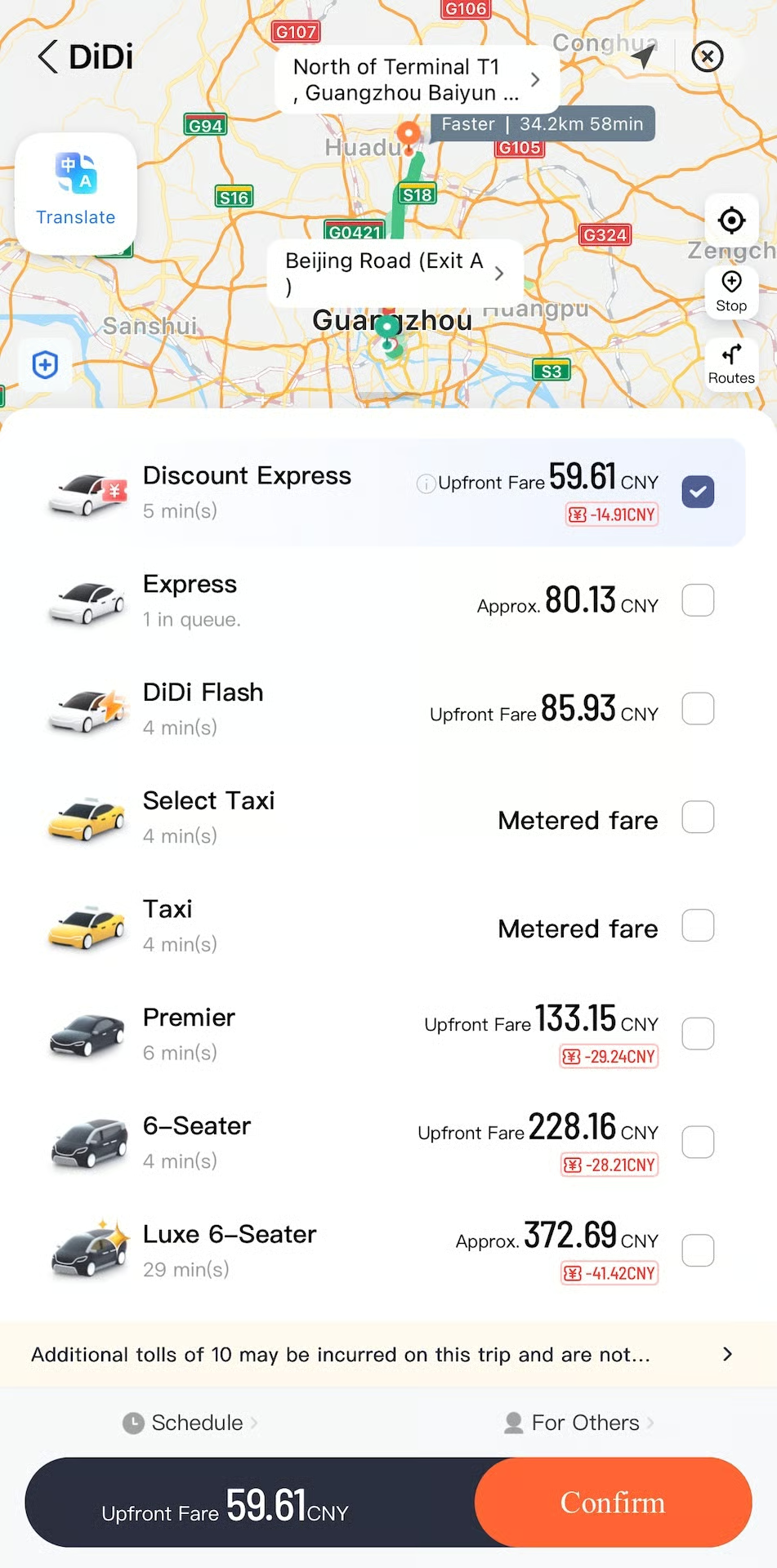
Didi Chuxing works similarly to Grab/Uber. If you have a Chinese phone number, you can use this app directly for ride-hailing. Otherwise, Alipay offers integration with Didi App for those without a Chinese number, allowing you to book rides and have the fare automatically deducted from your Alipay account. This makes it convenient whether you have a local number or not.
Alternatively, to book a DiDi through WeChat, simply open WeChat, head to the “Pay and Services” search for DiDi. From there, you can enter your pickup and drop-off locations (in English or Chinese), choose the type of ride (from basic taxis to premium cars), and confirm your booking.
When booking a Didi, the fares shown are estimates and exclude any road or bridge tolls in the trip. The final price is shown at the end of the trip and you need to complete the payment in-app after the ride. Here’s a quick guide of the different Didi ride options:
- Express or Discount Express: This is the most basic and quickest option. It’s perfect for 1-4 passengers. For most journeys, Express will be your go-to. You may see the “Discount Express” option when there are discount coupons available.
- Premier: A slightly more upscale option with newer cars and often more well-rated drivers. It’s a bit more expensive than Express but offers enhanced comfort, great for special occasions or longer journeys.
- Taxi: You can also hail standard street taxis through the Didi app. The fare is metered, similar to flagging one down on the street, but with the convenience of booking through your phone.
- Luxe: For those seeking a top-tier experience, Luxe offers high-end vehicles and premium service. This is your choice for ultimate comfort and style.
12306 App
12306 App Download: (AppStore | Google Play)
The 12306 app is the official platform for booking China’s high-speed train tickets, offering ticket purchases up to 15 days in advance. Once you have registered and used it once it is so easy to input your details after this. Your Chinese train tickets will appear on the app so you don’t need a physical ticket as everything is linked to your passport.
You may also use the 12306 official website to check the timetable & book your tickets: https://www.12306.cn/en/index.html
Trip.com

12306 App Download: (AppStore | Google Play)
You can book any transportation & accommodation you need via the Trip.com app and it keeps it all in one place. It is super convenient as it keeps track of your itinerary and you earn Trip coins whenever you book which saves you money on future purchases. Whether it’s flights, trains, hotels, or even tours, this app has you covered. This app is also available to use & download in other areas around the world, so you can book your trips in advanced before you travel to China.
You may also visit Trip.com for their services.
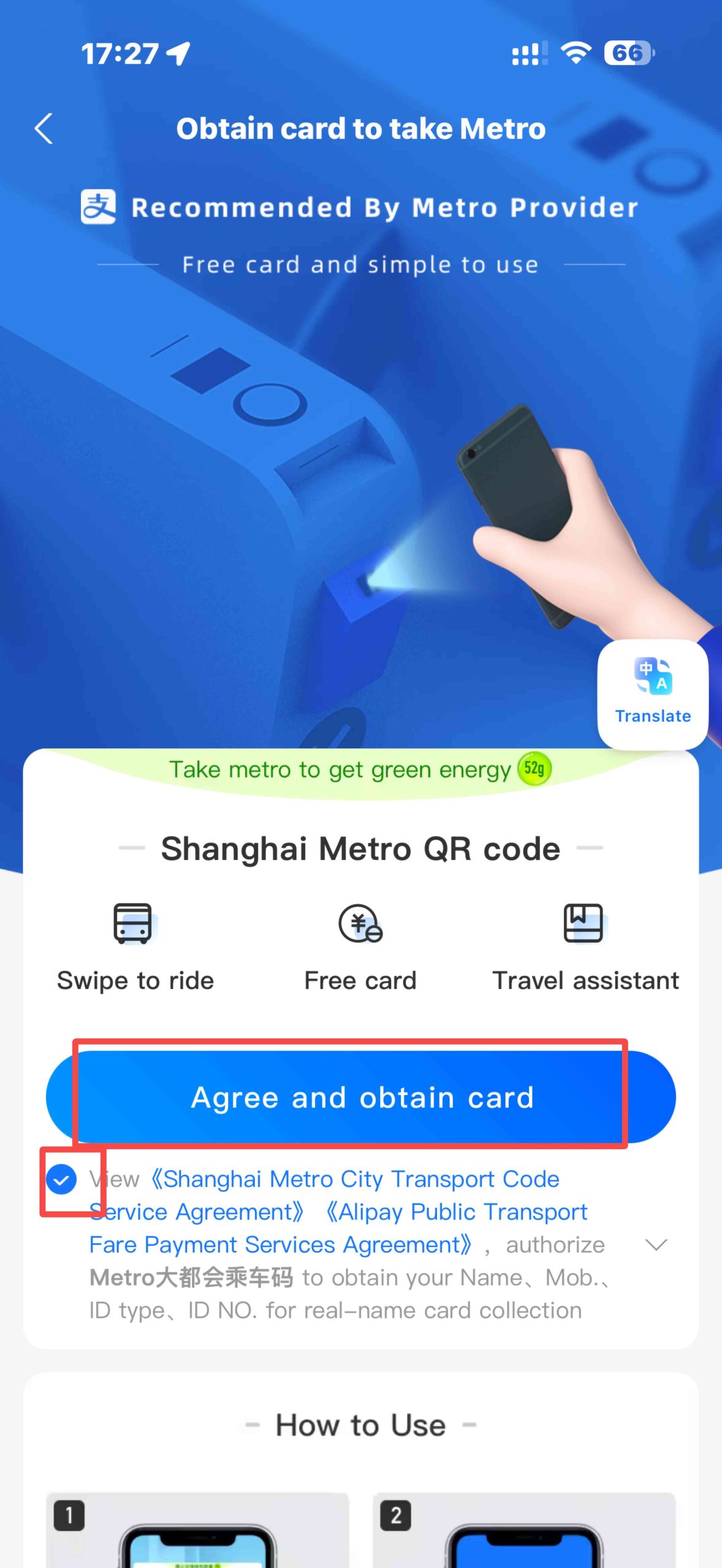
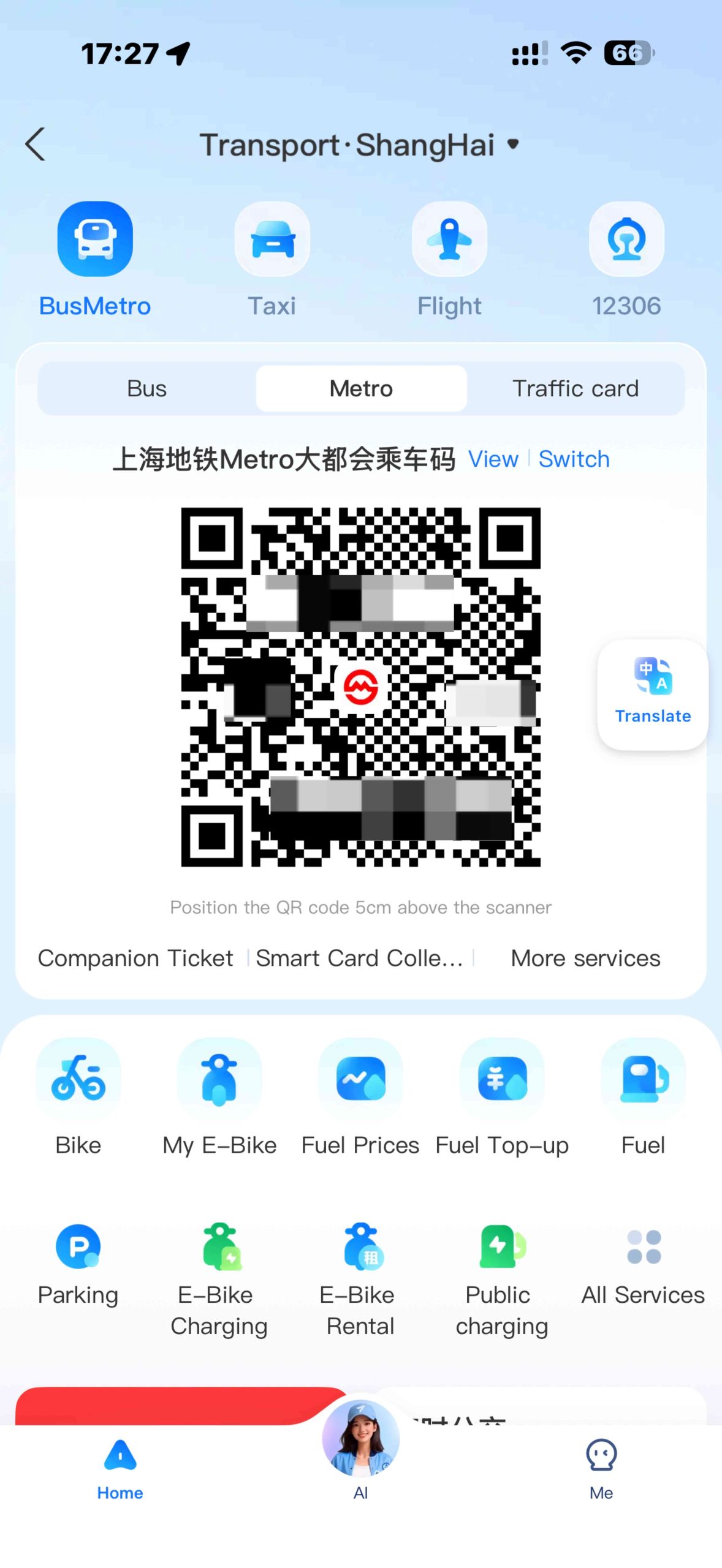
Alipay for Public Transport
You can also use Alipay for public transport like the subway or buses.
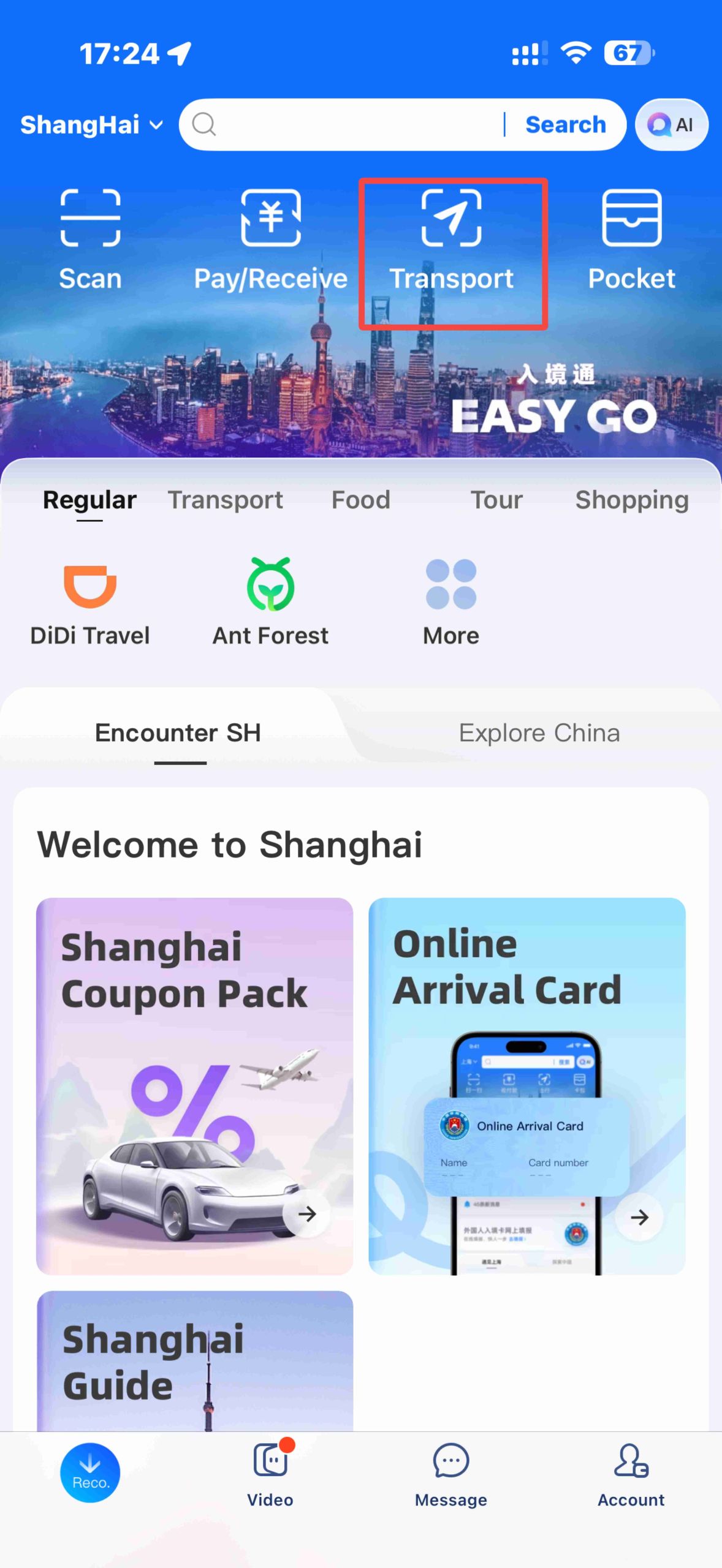
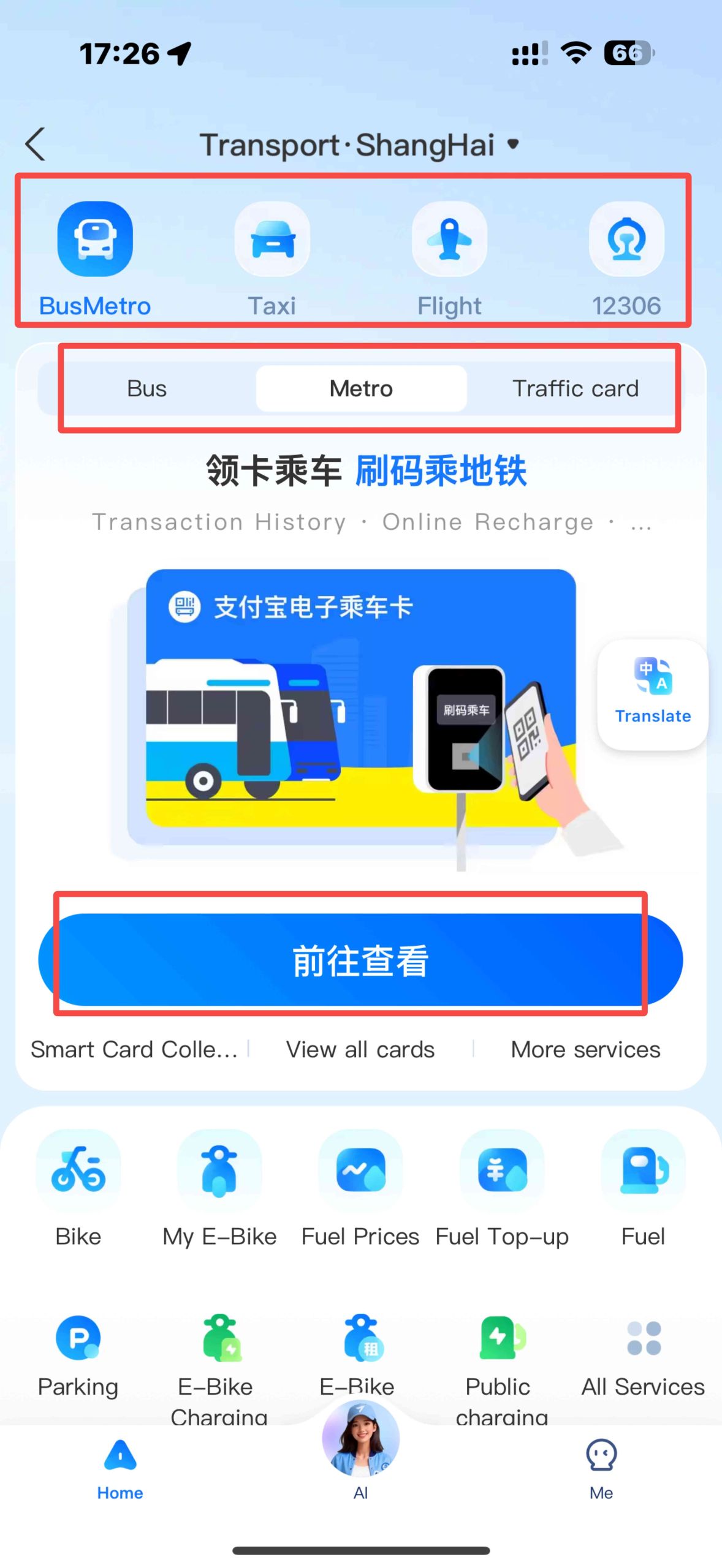
- Open Alipay and tap the Transport option on the home page
- Select your city (for example, Shanghai)
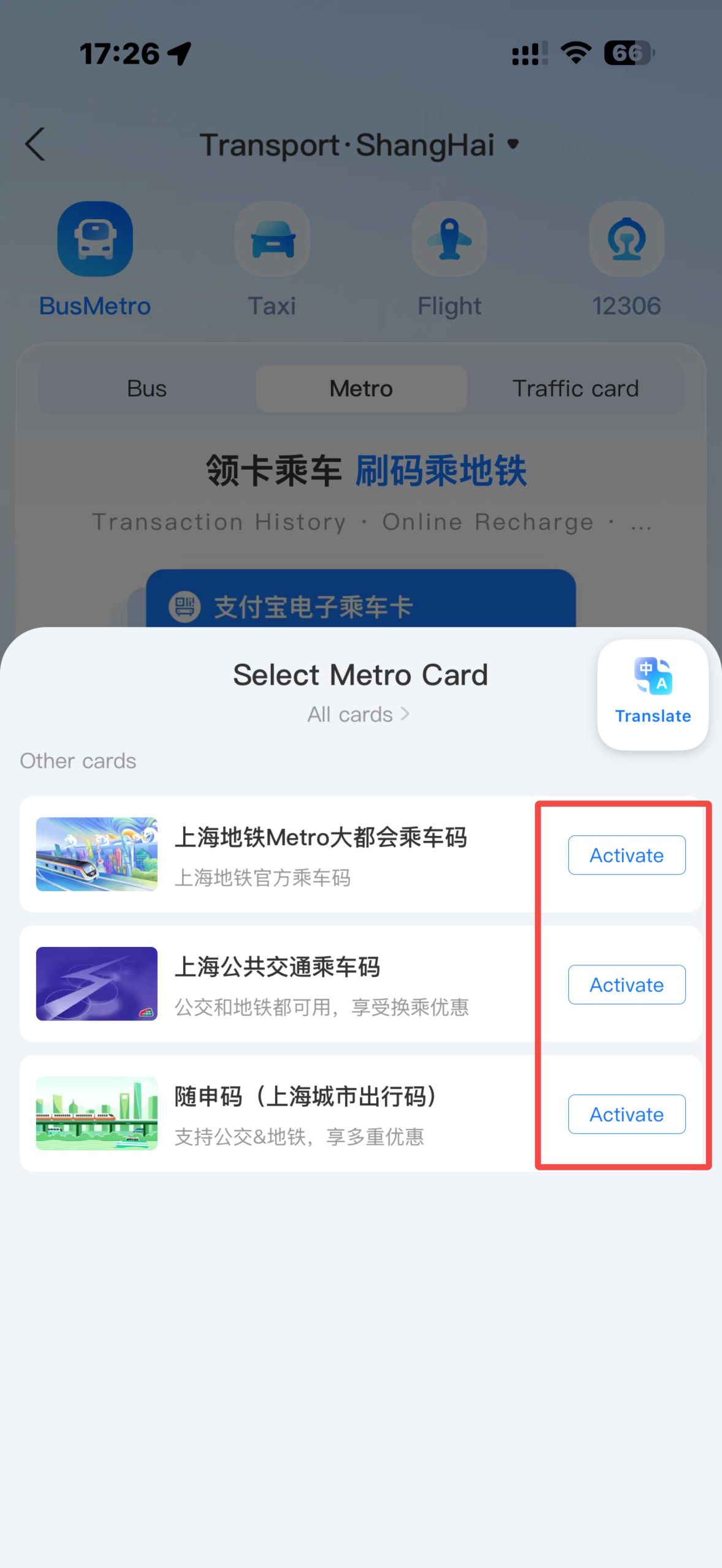
- Activate the transport card and link your credit or debit card
- Use the QR code at subway gates or bus scanners when entering and exiting.
Find the best food in town with Dian Ping

Dianping Download: (AppStore | Google Play)
If you’re serious about eating like a local, Da Zhong Dian Ping is hands down the best app to have on your phone. Think of it as China’s version of Yelp, but way more detailed — with tons of reviews, real customer photos, and rankings for everything from restaurants and cafes to bubble tea and street snacks.
Although the app is mostly in Chinese, it’s pretty easy to navigate with some basic translation tools or built-in auto-translate functions. And trust me, the effort is worth it — thanks to Dianping, I found some incredible local spots in Shanghai and Beijing that I would’ve totally missed otherwise. Locals leave reviews on Dianping, while tourists leave reviews on Google!
Another great feature is that you can also make reservations directly through the app, which is perfect for popular restaurants that tend to get crowded. Note that some restaurants require a local number for reservations.

